


Showit Client Portal Bundle
Showit add-on for photographers
As a photographer, you know the drill: a client books you for a session or their wedding day, and BOOM - the email train leaves the station. Prep tips in one email, the questionnaire in another, a checklist over here, a random PDF over there… and before you know it, your clients' inbox is a mess and you’re stuck copy-pasting like it’s your full-time job. 🫠
And your clients? They just want to feel prepared for their session or big day - not scroll through a maze of emails to find what they need.
It's time to streamline the prep, wow your clients, and keep everything in one gorgeous, client-only spot that feels like it was made just for them.
Elevate your client experience and give them their own, personal Client Portal on your Showit site.
With these Showit Client Portals, you can give your clients a private, online space where they get everything they need to feel prepped and taken care of - whether it’s for their session or wedding day.
Showit Client Portal Bundle
Introducing the
preview Wedding client portal
preview session client portal
Rising Roots


preview Wedding client portal
preview session client portal
Silk Skye


preview Wedding client portal
preview session client portal
Memory Lane


Buy the bundle
Now $239
$278
Now $239
$278
Now $239
$278
Buy the bundle
Buy the bundle
preview Wedding client portal
preview session client portal
Ivory Vines


preview Wedding client portal
preview session client portal
Wild Willow


preview Wedding client portal
preview session client portal
Blooming Bliss


Buy the bundle
Now $239
$278
Now $239
$278
Now $239
$278
Buy the bundle
Buy the bundle
preview Wedding client portal
preview session client portal
Wabi Sabi


preview Wedding client portal
preview session client portal
Honey Seed


preview Wedding client portal
preview session client portal
Olive Oak


Now $239
$278
Now $239
$278
Now $239
$278
Buy the bundle
Buy the bundle
Buy the bundle


What's included with the
Showit Client Portal Bundle:
Session + Wedding Client Portal
Easy to customize, mobile-friendly and made to fit seamlessly into your Showit site.
Done-for-you copy
Just tweak it to match your voice!
Template-specific instructions
How to add the portals to your Showit site, customize it, keep it private for your clients, and share it with them!
4 BONUS Canva templates 🎁
A pre-session checklist & packing list, a family & group sample photo list, a timeline and wedding detail checklist they can print straight out of their client portal!
Lotte ⎮ photosbybock.COM
"It truly was a breath of fresh air to work with Astrid's template, and I should have made the switch much earlier!"

I launched my photography website this week, and I'm sooo happy! It truly was a breath of fresh air to work with Astrid's template, and I should have made the switch to Showit much earlier! I've received so many compliments on my website!
A huge, huge thank you, Astrid! ✨
Your Showit Client Portal questions - answered.
A Showit Client Portal is a private, beautifully designed page that lives right on your own Showit website - built just for your clients. Once someone books a session or hires you as their wedding photographer, you simply send them a link to their own Client Portal, and voilà: they’ve got everything they need in one beautifully organized spot.
What this means for your clients:
They get the VIP treatment from the start. We're talking prep checklists, location ideas, session / wedding details, a spot to include your questionnaire, and even a link to their gallery once it’s ready. It’s clear, easy to use, and makes them feel confident, prepped, and totally taken care of.
What this means for you:
You don't have to resend the same checklist for the 12th time. No more “Hey, where’s that PDF again?” emails. Your clients will get one streamlined, stunning page that saves you hours, looks amazing, and makes your whole client experience feel next-level.
It’s your new favorite time-saver, brand booster, and client-impressing secret weapon.
Absolutely! If you're already using Showit, you’re good to go. You can add this Client Portal template to any existing Showit website, even if your site wasn’t built with a Wonderlik Webdesign template.
The main difference comes down to what you need for each experience.
The Session Client Portal is focused on helping you feel relaxed and prepared for a shorter shoot. You’ll find styling tips, what to wear guidance, location ideas, and practical info so you can show up feeling confident and ready.
The Wedding Client Portal is a bit more extensive, simply because there’s a lot more prep involved! Inside, you’ll find everything you need to feel organized and supported throughout the planning process, including info about your engagement session, a personalized wedding timeline, helpful checklists, access to your online gallery, wedding album details, and more.
They're built for different experiences, but have the same goal: they both make sure your clients feel prepared, supported, and excited every step of the way.
Just send them a direct link! Once they book you , simply customize the client portal and pop the link into your welcome email or onboarding workflow.
Absolutely! You can duplicate this template for every client and personalize it with their details. It’s the easiest way to make every client feel like VIPs - without starting from scratch every time.
That means only your clients with the direct link can access it - not random visitors who happen to be snooping around your site. 😉
You’ll get:
Step-by-step instructions to add both Client Portals to your Showit site, customize it and share it with your clients.
A fully customizable, mobile-friendly Session + Wedding Client Portal page you can add to your Showit site.
Kindly note that images are not included, except for the Wabi Sabi version.
🎁 4 BONUS Canva templates: a pre-session checklist & packing list, a family & group sample photo list, a timeline template and a wedding detail checklist!
Tips to keep your Showit Client Portal private and hidden from search engines, so only your clients can access it.
Plus, the Showit support team is always ready to help, and they've got an emergency support team on standby too. We've got your back every step of the way!
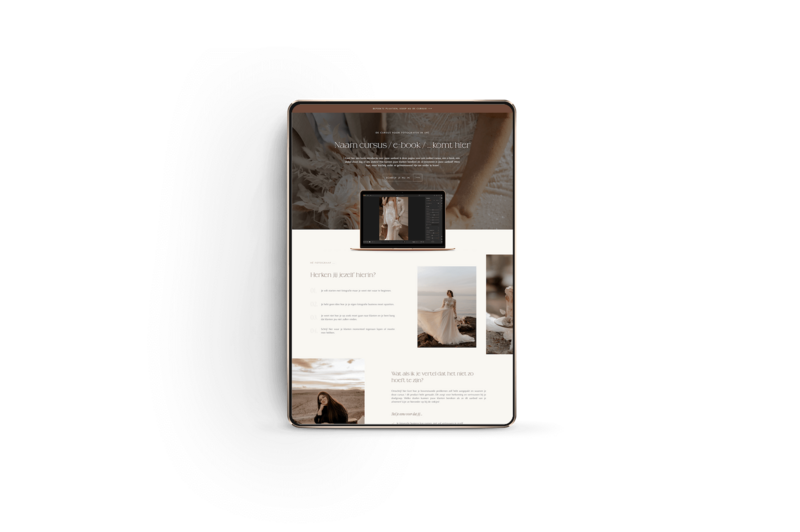
Showit sales page templates
Explore other Showit add-on templates

Showit Shop Templates