Let’s get one thing out of the way: I’m not an AI fangirl.
I’m a designer, and over the past few years I’ve watched a lot of AI tools create the same generic and soulless designs. Especially when it comes to creative work. Because when a tool is doing all the creating for you, what are you still bringing to the table?
But I do think there’s a big difference between using AI as a source and using it as a tool.
When you use AI as the source of your ideas, the result is often generic and forgettable. But when you use it as a tool to take care of the repetitive work, so you have more time to think and create, it can actually be really useful. Especially when you run a creative business.
Because let’s be honest: nobody’s job stays in its lane. A photographer doesn’t just take photos. She’s also writing her website copy, marketing her business, designing Instagram posts, sending invoices and answering emails at 11PM.
Most of us didn’t start our businesses because we wanted four different jobs. We started because we wanted to do one thing we were actually good at.
To me, the best AI-tools are the ones that take some of those extra jobs off your plate without taking over the creative work you enjoy.
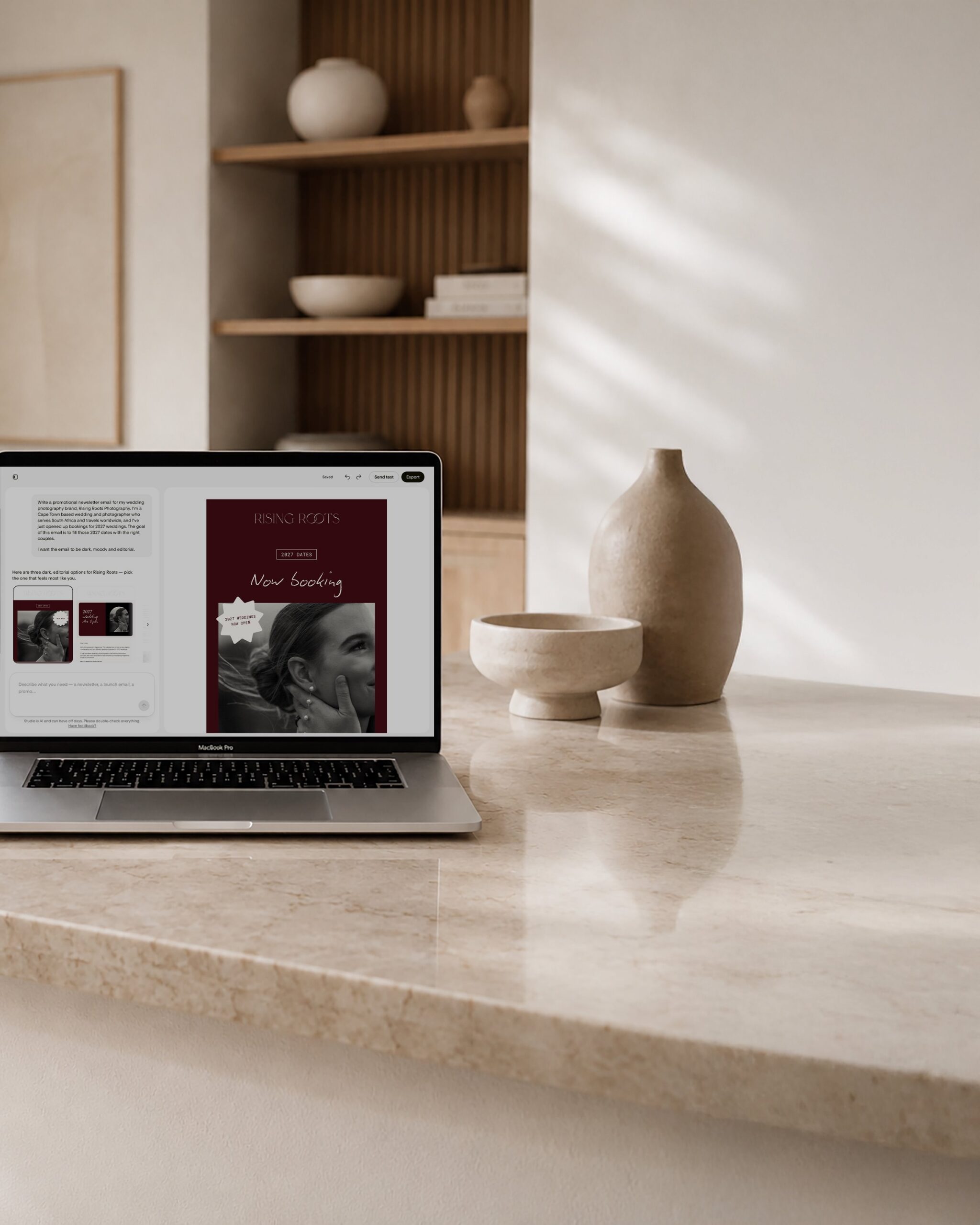
That’s what I wanted to test with Flodesk Studio, Flodesk’s new AI email marketing tool. As a Flodesk Partner, I received early access to Flodesk Studio. I gave it a real email brief, let it create the first version and then took a proper look at what it produced.
The results genuinely surprised me, just not in the way I expected.
What is Flodesk Studio?
Flodesk Studio is Flodesk’s new AI-powered tool for creating emails.
I know. Another AI tool. Your inbox is full of them, your Instagram feed is full of them and, at this point, the words “AI-powered” don’t exactly make most people excited. But please bare with me. I’ll tell you exactly what it got right, and where I still had to roll my sleeves up.
You describe the email you want to create, and Studio builds a first version using your branding. Then it stops. And that’s the important part.
Most AI tools want to make the art for you. Flodesk Studio does pretty much the opposite. It creates the layout, applies your colours and fonts, adds suggested copy and gives you a starting point. From there, you can edit and finish the email yourself.
It isn’t there to replace your ideas or your creativity. It simply gives you a place to start, so you’re not staring at a blank page.
You can send the finished email through Flodesk or export it as HTML and use it with another email marketing platform that supports HTML, such as Kit or Mailchimp.
💸 It’s free while it’s in beta (no credit card needed). Flodesk is still using this beta period to decide how Studio will be priced, so there’s no confirmed price yet. In other words: now is a good time to try it.
What makes Flodesk Studio different from other AI email marketing tools?
Yes, Flodesk Studio uses AI. I’m not going to pretend it doesn’t. But the AI isn’t creating every design from scratch.
Behind the tool is a large library of email sections, layouts, fonts and colour combinations that were created by human designers at Flodesk.
The AI’s only job is to pick from those human-made pieces and arrange them around your prompt and your brand. So it isn’t inventing a completely new design out of nowhere. It’s selecting and arranging design elements that were already created by professional designers.
That’s why the emails it generates still look considered and well designed. Because the building blocks were made by designers in the first place.
Flodesk Studio is trained on Flodesk’s own design team’s work, not on your account, not on your subscriber list. The two platforms are entirely separate. Nothing you do in Flodesk is quietly feeding a model somewhere.
How to get started in Flodesk Studio
Before you start creating emails, Flodesk Studio asks you to set up your brand.
This is probably the most important part of the process. The more accurately you set everything up, the more the emails will look and sound like your business.
You can add:
- Your logo
- Your brand colours
- Your fonts
- Information about your business
- Your social links
It also lets you map your fonts. That simply means choosing which font should be used for your headings, subheadings, body text and buttons. So Studio doesn’t just know which fonts are part of your brand. It also knows how you normally use them.
You can also describe your brand voice, or the way you communicate. This helps Studio write suggested email copy that sounds closer to your usual tone of voice.
Don’t have a complete brand yet? You can start with one of Studio’s premade brand options instead. So you can’t use that as an excuse. 😉
One thing to keep in mind is that you can currently only add one brand per Studio account. If you manage multiple brands, that may feel limiting, although Flodesk has said that more options are on the roadmap.
Putting Flodesk Studio to the test with a real brief
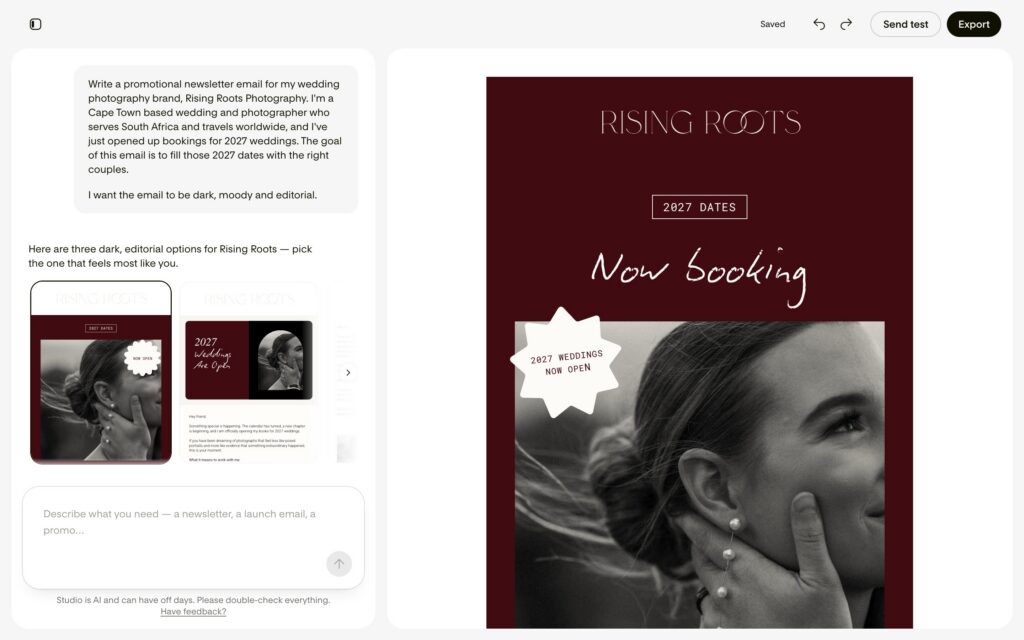
Enough theory. I wanted to see whether Flodesk Studio could handle a real email brief, so I created a fictional example for a Cape Town wedding photographer opening her calendar for 2027 weddings.
Here’s exactly what I typed into Studio:
Keep in mind: Icould have added my own finished copy to the prompt, but I deliberately didn’t, because I wanted to see what Studio would come up with by itself.
And honestly? The first result surprised me in a good way.
What came back
The first thing I noticed was that Studio didn’t just give me one email and leave me to work with it.
It gave me three different directions to start from:
- A more visual email
- A banner-style email
- A plain-text email
I could look through all three and choose the one that felt like the best fit for what I wanted to send. I went with the first option.

The design: a strong starting point, but I still made changes
Design-wise, Flodesk Studio got me about 80% of the way there.
It had already created a clear structure, applied the branding and worked out where the images, text and buttons should go. I wasn’t starting with a blank email and trying to figure out which section to add next.
But I’m a designer and a bit of a perfectionist, so of course I still changed things. I adjusted some of the spacing, played around with the hierarchy and refined a few of the smaller details. They’re the kinds of things people might not consciously notice, but they do affect how polished the email feels.
To be fair, I probably would have tweaked it if another designer had created the first draft too. So this is less a criticism of Flodesk Studio, but more a confession about me.
And that brings me back to what I mentioned earlier: Flodesk Studio isn’t meant to finish every last detail for you. It’s meant to give you a strong starting point.
So instead of staring at a blank canvas at 11 p.m. and wondering where to put the button, I could start with something that already looked good and then make it feel more like me. Studio did the heavy lifting, but I still had control over the final result.
In short: Flodesk Studio did the heavy lifting, but I still had control over the final result. I could ask Studio to refine parts of the email through the chat, drag elements around myself or adjust the smaller details manually.
So even though it created the first version, I wasn’t stuck with it.
The copy: the part that surprised me most
The copy was actually the biggest surprise for me. It wasn’t just “good for AI.” It was genuinely good!
Flodesk Studio understood that a wedding photographer opening her calendar for 2027 isn’t only announcing that she has dates available. She’s also trying to attract the right couples.
That’s a small but important detail, and it’s something I’d expect a good copywriter to understand. I didn’t necessarily expect an AI tool to pick up on it from the brief.
And I think this is where Flodesk Studio could be especially useful for creative business owners.
Most of us aren’t copywriters. We’re photographers, coaches or shop owners. We can immediately tell when a design doesn’t look right, but we can still spend 45 minutes staring at a subject line and wondering whether “Hey!” sounds too casual.
Studio gives you something useful to work with instead of making you write the whole email from scratch.
You’ll probably still want to adjust the copy so it sounds completely like you, but the hard part is already done. The structure is there, the message is clear and you’re no longer staring at an empty page.
If writing is usually the part that slows you down, this could genuinely save you a lot of time. For me, this is where using AI as a tool makes the most sense.
A few things to know before you start
Because Studio is still in beta, there are a few limitations to keep in mind.
It currently only creates emails
Forms, landing pages and other marketing materials are planned, but right now Studio is focused on email design. At the moment, you also can’t add emails created in Studio directly to your Flodesk workflows. Hopefully that’s still on the roadmap, because it would make Studio even more useful.
You edit the email inside Studio
Once you export an email to Flodesk, you need to return to Studio if you want to make design changes and then export the updated version again. The regular Flodesk builder and Studio work differently, so the email isn’t fully editable in both places.
It’s still in beta
Features, layouts and workflows may change as Flodesk Studio develops. That’s part of using a beta product, but it also means you get to test it while Flodesk is still actively listening to feedback.
Is Flodesk Studio worth trying?
If you regularly send emails and often wonder why creating one takes so long, I think it’s worth testing. Flodesk Studio is currently free, you don’t need a credit card and you can create your first email pretty quickly.
My honest opinion after using it is that the copy is the strongest feature. The design gives you a very good starting point, but you’ll probably still want to refine it.That doesn’t bother me. As a designer, I was always going to make some changes anyway.
The copy was different. It took a clear brief, understood what the email was actually trying to achieve and turned it into something I could realistically use. That’s what useful AI looks like to me.
Flodesk Studio isn’t replacing the creative part of your work. It’s helping you get through the part that was slowing you down, so you can spend more time on the parts that need your judgement and ideas.
Flodesk Studio is free while it’s in beta
Flodesk Studio is currently free to use while it’s in beta, and you don’t need to enter your credit card details. Flodesk is still figuring out how Studio will be priced in the future, so there’s no confirmed cost yet.
That makes now the perfect time to test it for yourself, create a few emails and see how it fits into your workflow!
Want on-brand emails without writing prompts?
Flodesk Studio is a useful tool, but sometimes you don’t want to write a detailed prompt or edit a completely new email. Sometimes you just want to open something that already looks good, add your own content and send it.
That’s what my Flodesk email templates are for. They’re professionally designed, fully customizable and ready to add to your Flodesk account.
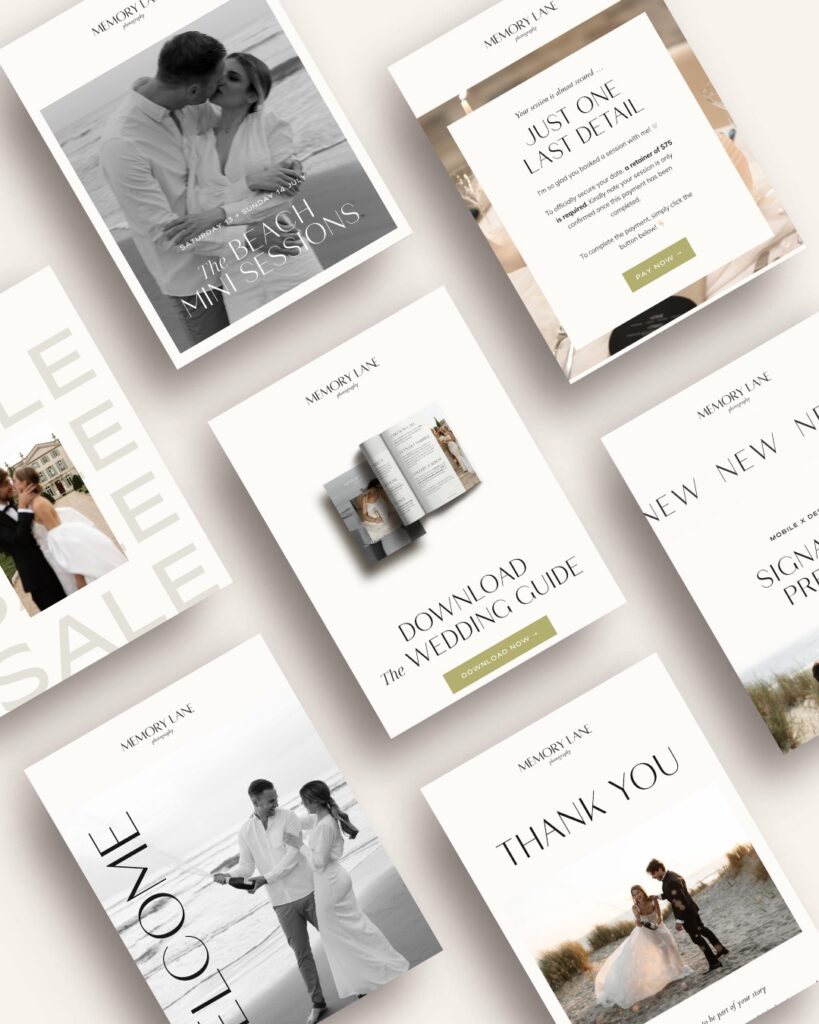
You can use them exactly as they are, treat them as a starting point or save them for the days when you have absolutely no creative energy left. No judgement here. 😉

Ever wondered what tools I rely on daily to keep my website, marketing and workflow running smoothly? I've put together a list just for you so you can spend more time doing what you truly love!
My favorite tools & resources for creatives
Read more ...